
Zoocasso · AI Image Editing from References
Web app · Sign up and verify your email to create · Chinese interface
Design rarely starts with a blank canvas. Zoocasso brings reference-based editing, local changes, version branches and new viewpoints into one workspace, so designers can keep developing an image they already have.
Start with the image a designer already has
My designer friends usually have a site photograph, an early render, or a few references. They want to develop it: try another architectural style, turn part of a site into a park, explore evening light, then compare the alternatives.
Zoocasso has evolved from a generation tool into a workspace for that process. Import a base image and edit immediately, or generate a starting point. Each project keeps related images together, ready to open and develop further.
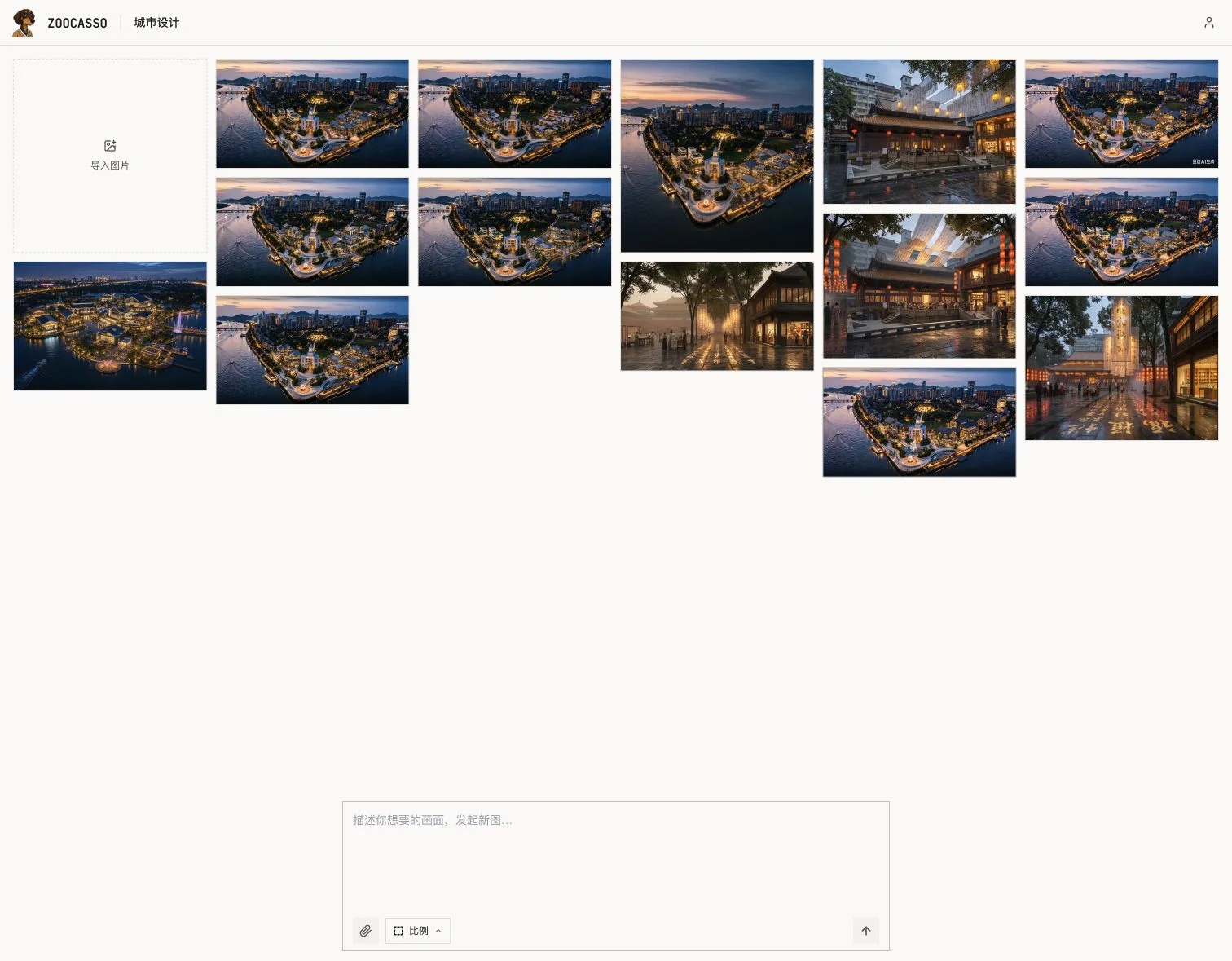
Keep the context of an edit
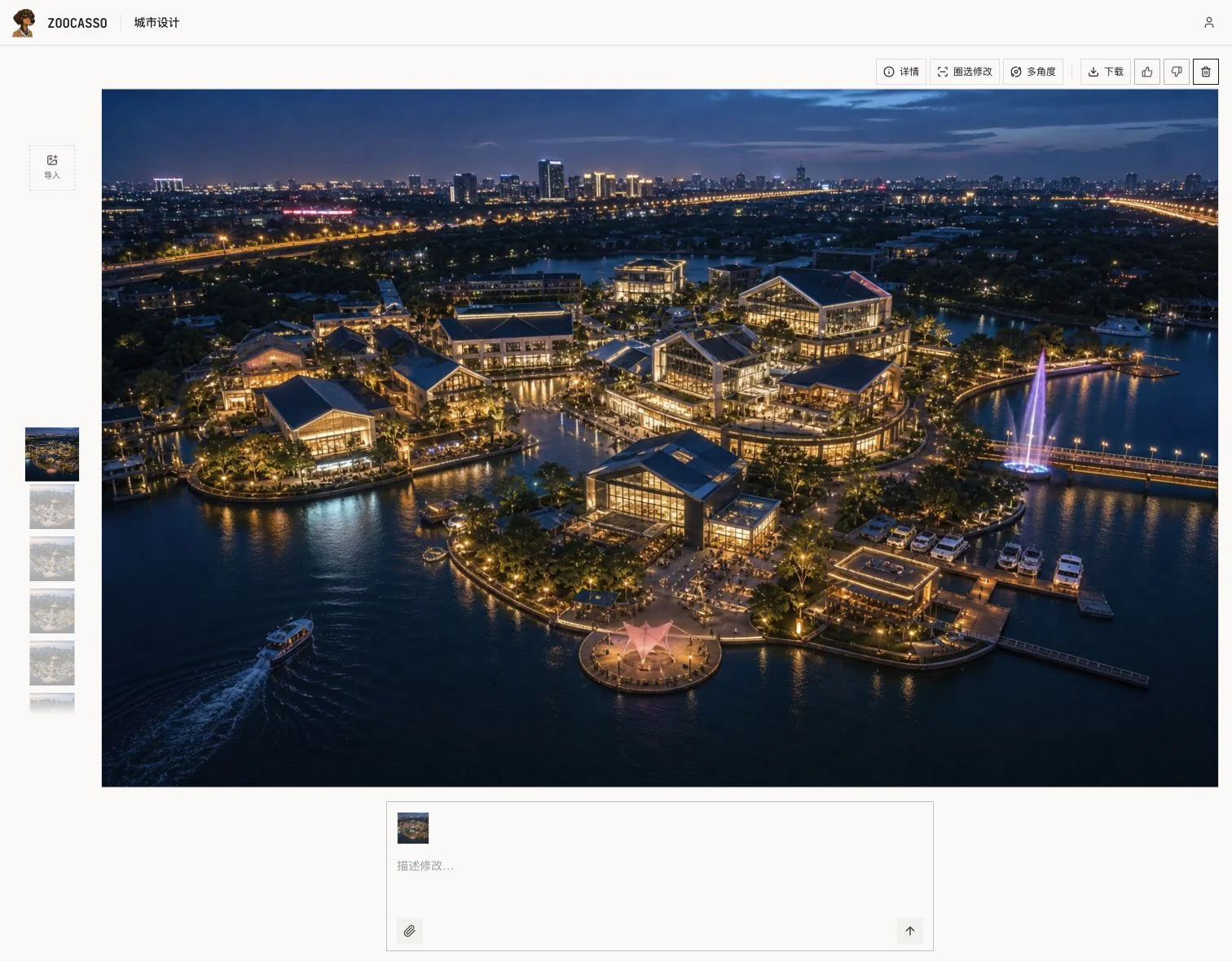
The image on screen becomes the base for the next edit. Add a reference and describe the change. The image takes most of the space; a filmstrip makes switching quick, with details, region editing, angles and download above it.
For a local change, select an area and describe what should happen there. The backend composites the generated result into the original, blending the boundary while preserving the surrounding image. Whole-image edits remain available for broader changes to style or lighting.
Two references can mean different things
“Keep the layout of image two and use the style of image one” is different from “use both references to create a new scene.” The first needs an identified base image; the second needs room for a new composition.
The current workflow prioritizes explicit base-image instructions and uses visual classification when the roles are ambiguous. It preserves the original description and attachment order, and chooses image sizing according to the base or new-scene intent. This reduces the need to repeatedly rewrite a prompt just to clarify how two images relate.
Keep alternative directions within reach
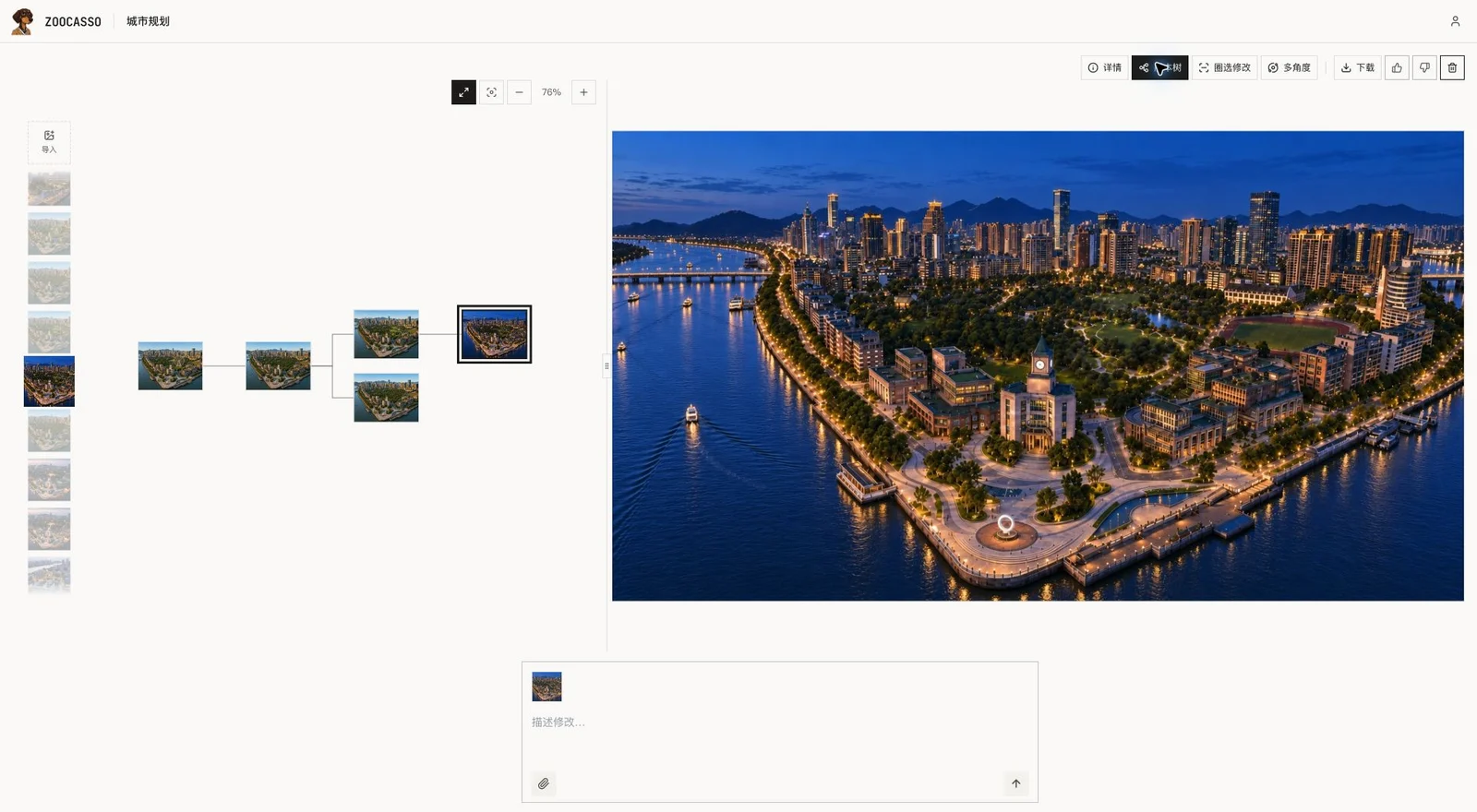
Design iterations branch. One starting point can lead to several proposals, and an earlier version may be the best place to continue.
The version tree makes those relationships visible through thumbnails and connecting lines. A designer can return to any version and explore another direction without reconstructing the history from filenames.
Make viewpoint changes tangible
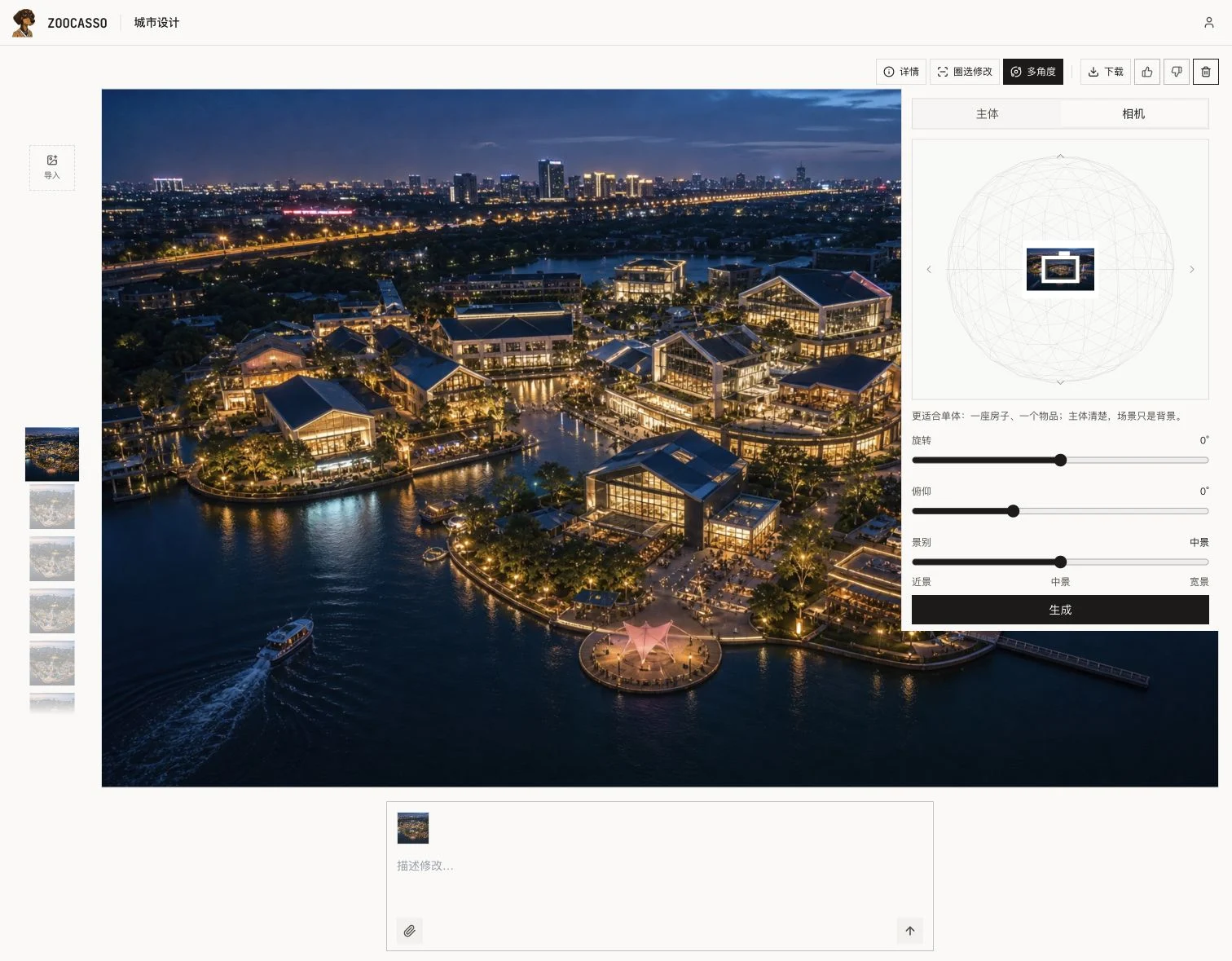
Multi Angles offers subject and camera modes, with spatial dragging and controls for rotation, tilt and shot distance. A designer can set up a viewpoint without translating every adjustment into a written prompt.
These are AI reconstructions of new viewpoints, not a precise 3D model. The interface now explicitly recommends clear subjects such as an individual building or object. These controls support early composition studies; the designer still judges the result.
Owning the whole product
I handle product design, interaction, frontend, backend and deployment. Standard generation and editing use GPT-image-2.5; Multi Angles uses a dedicated Qwen model. Images live in R2, project and version relationships in Postgres, with task state and usage handled behind the interface.