Elevator Installation Tracker
Field digitalization for a Singapore elevator installer: the site progress that was scattered across WhatsApp groups, pulled into one dashboard the owner can read at a glance — crews report from site through a Telegram bot.
A company that ran on WhatsApp
A Singapore elevator-installation company: an owner (also head of sales), one chief engineer, one admin, one salesperson, and thirty-odd workers. No office systems at all — one admin holding it together in Office software, site progress living across a handful of WhatsApp groups. Between site visits and phone calls, the owner spent the rest of his day scrolling those groups trying to piece progress together — and when the chat got noisy, he couldn’t.
This wasn’t a template job. I walked the real install workflow with the owner and chief engineer, step by step, and modeled it the way they actually work.
Put progress in one dashboard
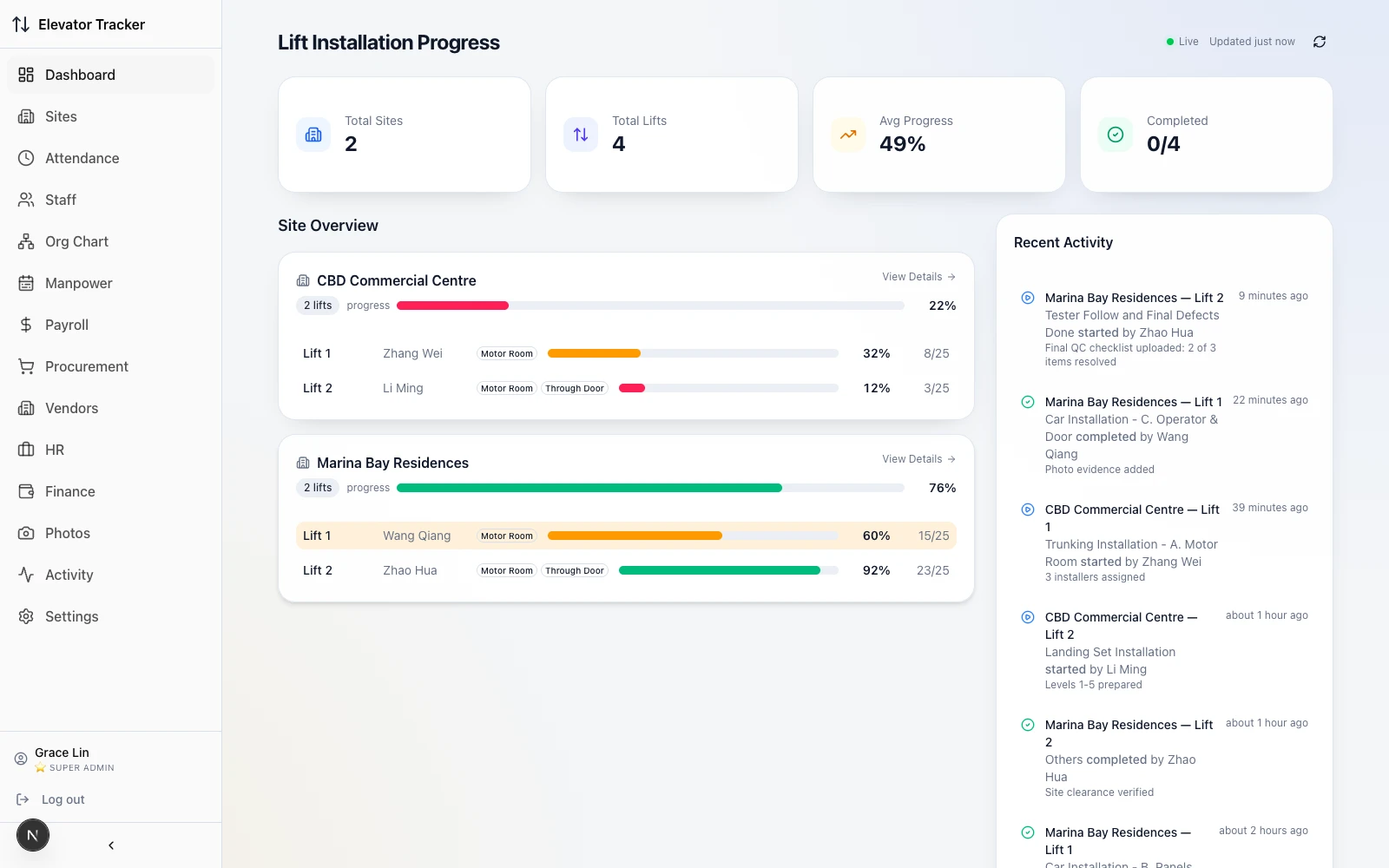
I built a dashboard around the owner’s need to check progress: sites, lifts, completion and recent activity in one view. The images below show the implemented interfaces and workflows.
From group messages to records
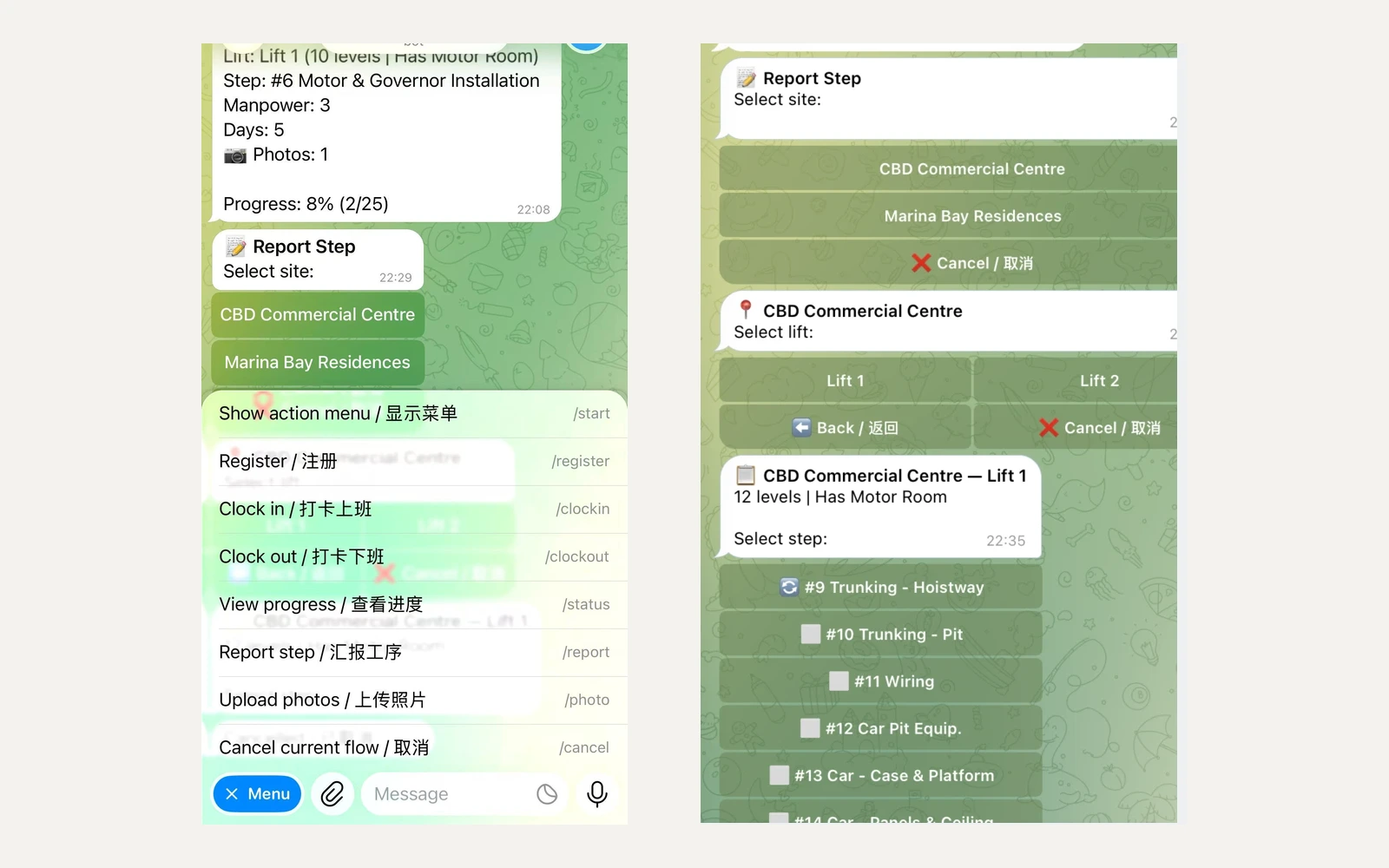
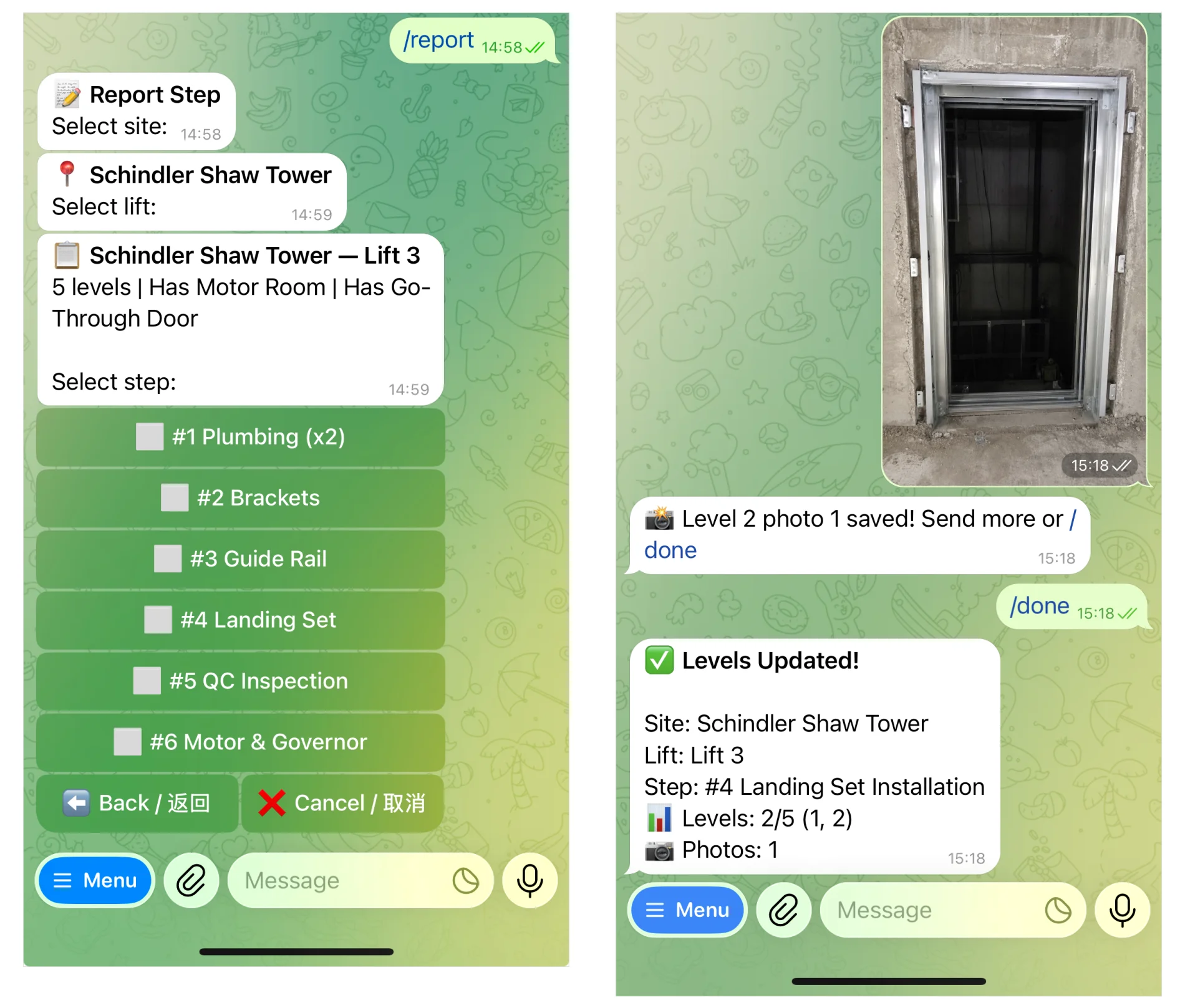
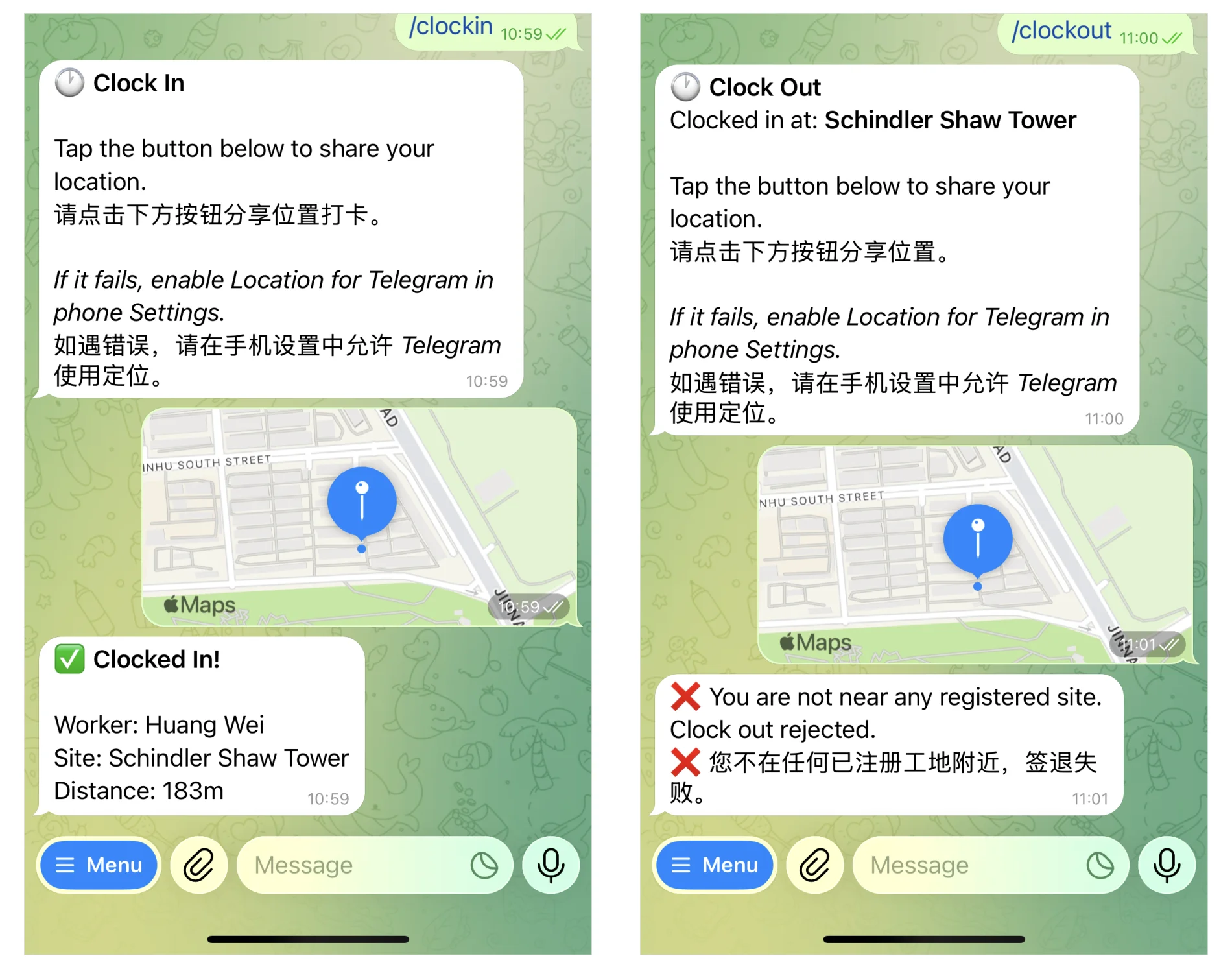
The Telegram bot supports registration, clock-in and clock-out, step reporting and photo uploads. It is designed to turn information scattered across WhatsApp groups into structured records with timestamps, people and photos, without building a separate native app.
Every lift, every step, every photo
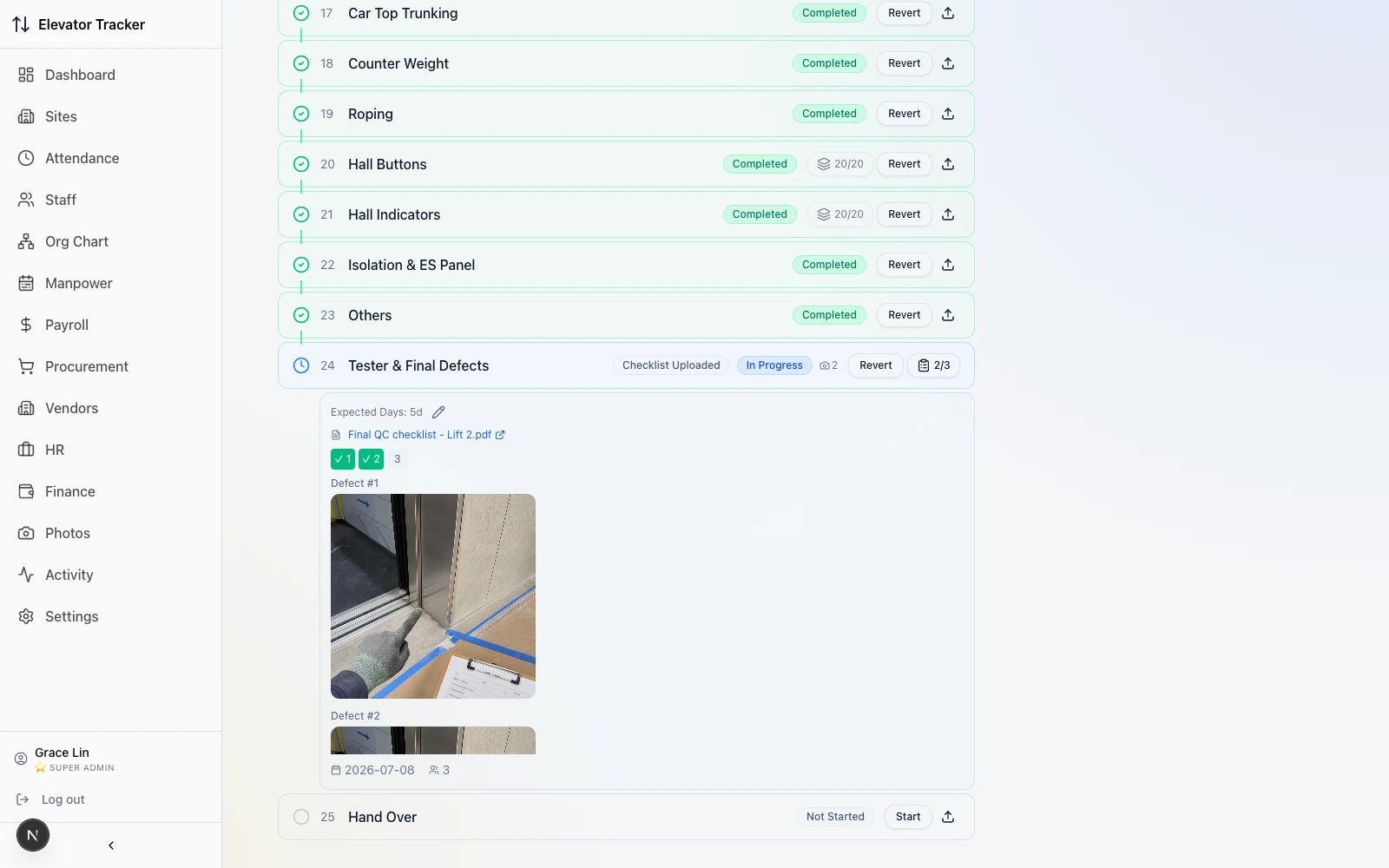
Each lift breaks into the real install steps — one record per step, photo evidence captured on site. The steps aren’t uniform: some need only a note and a photo, some are tracked floor by floor up a high-rise, and others can’t be marked done until a QC checklist is complete. That variation isn’t invented — it’s built from how they actually work.
Clock in on site, or not at all
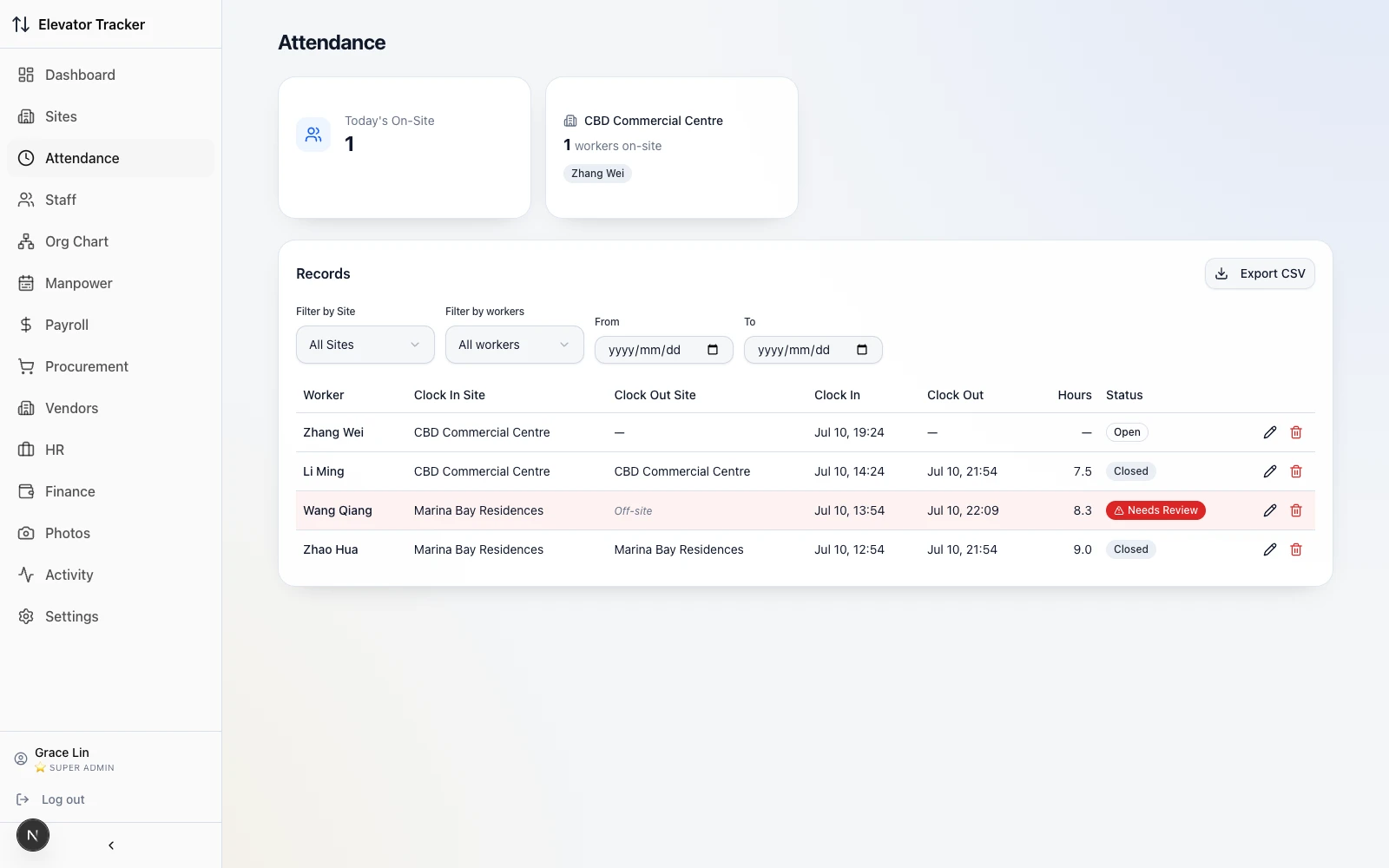
Clock-in runs through the same bot — but it has to happen on site. The worker shares location, the bot measures the distance to the nearest registered site, and anything off-site is refused outright. On the office side every shift lands in one ledger, and an odd one — an off-site clock-out, an over-long shift — is flagged for review instead of quietly booked. Edits leave the before/after, who changed it, and why.
What I built
Implemented the progress dashboard, Telegram reporting, GPS attendance and photo records, connecting sites, lifts and installation steps in a traceable workflow. Attendance exceptions enter review, with before-and-after values and reasons retained for changes.