
Biguomiao · Photo-Based Exam Prep
Mainland China storefront · iPhone · iOS 17+ · Chinese interface · Free download with in-app purchases
For people preparing for a workplace exam after a long day: photograph a practice question, see the answer first, then open an explanation when needed. Start immediately, or add your own materials and join a colleague’s shared collection for more relevant answers.
Try the app with these practice photos
No need to find your own questions. Start with one photo, or save all three to try batch import. The questions and app interface are in Chinese.
- Open an original photo below. On your iPhone, touch and hold the image to save it to Photos.
- Open Biguomiao and choose the photos from its home-screen photo-library entry. Start without a material collection to try general answers.
- Compare the detected questions, answers and explanations with the photo. On a computer, you can also enlarge the image and photograph it with your iPhone.
 View original ↗
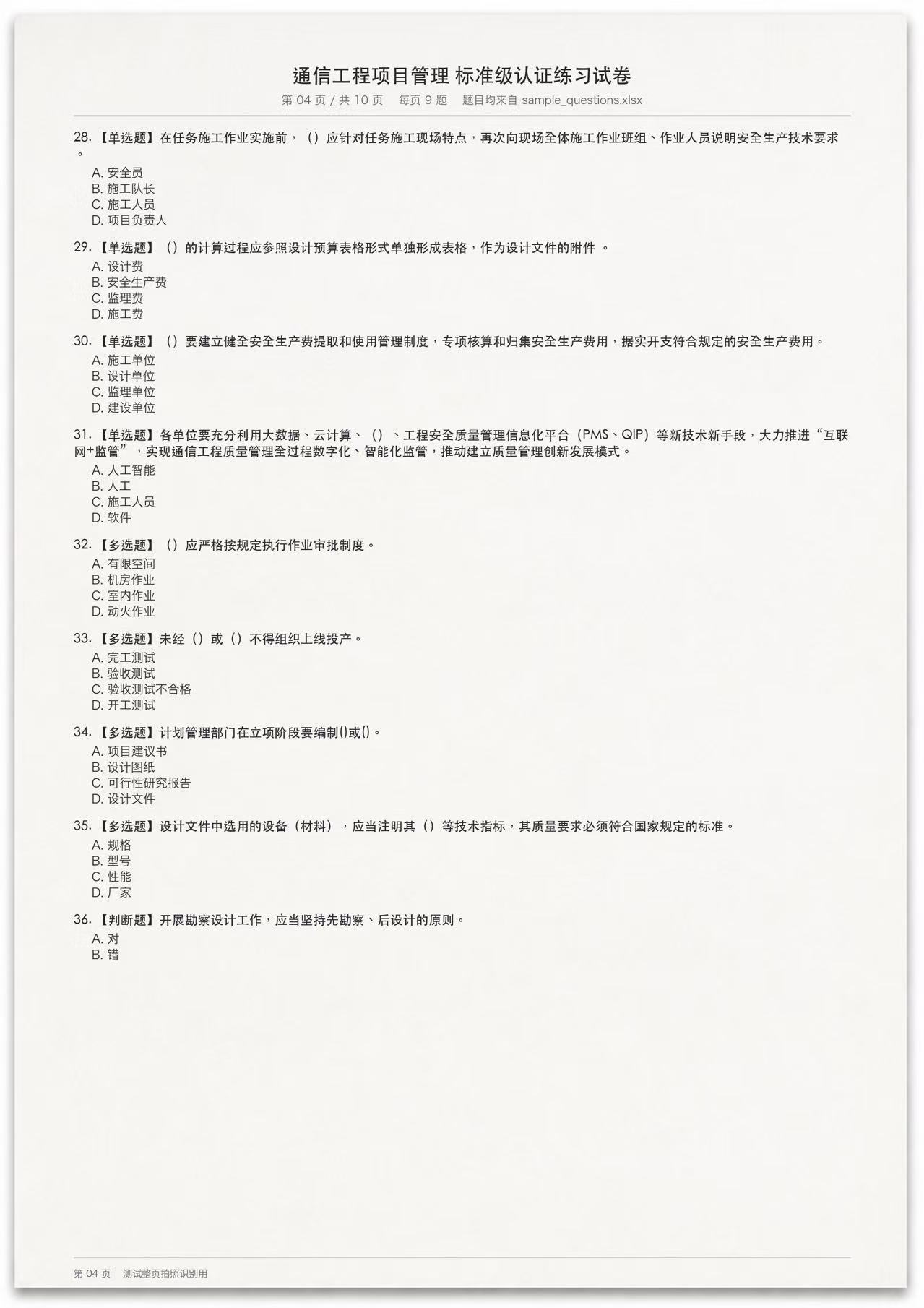
Full page · mixed question types
A communications-engineering practice page, questions 28–36: four single-choice, four multiple-answer and one true/false question.
Check whether all nine questions are found, their types are distinguished and each answer corresponds to the original question.
Download original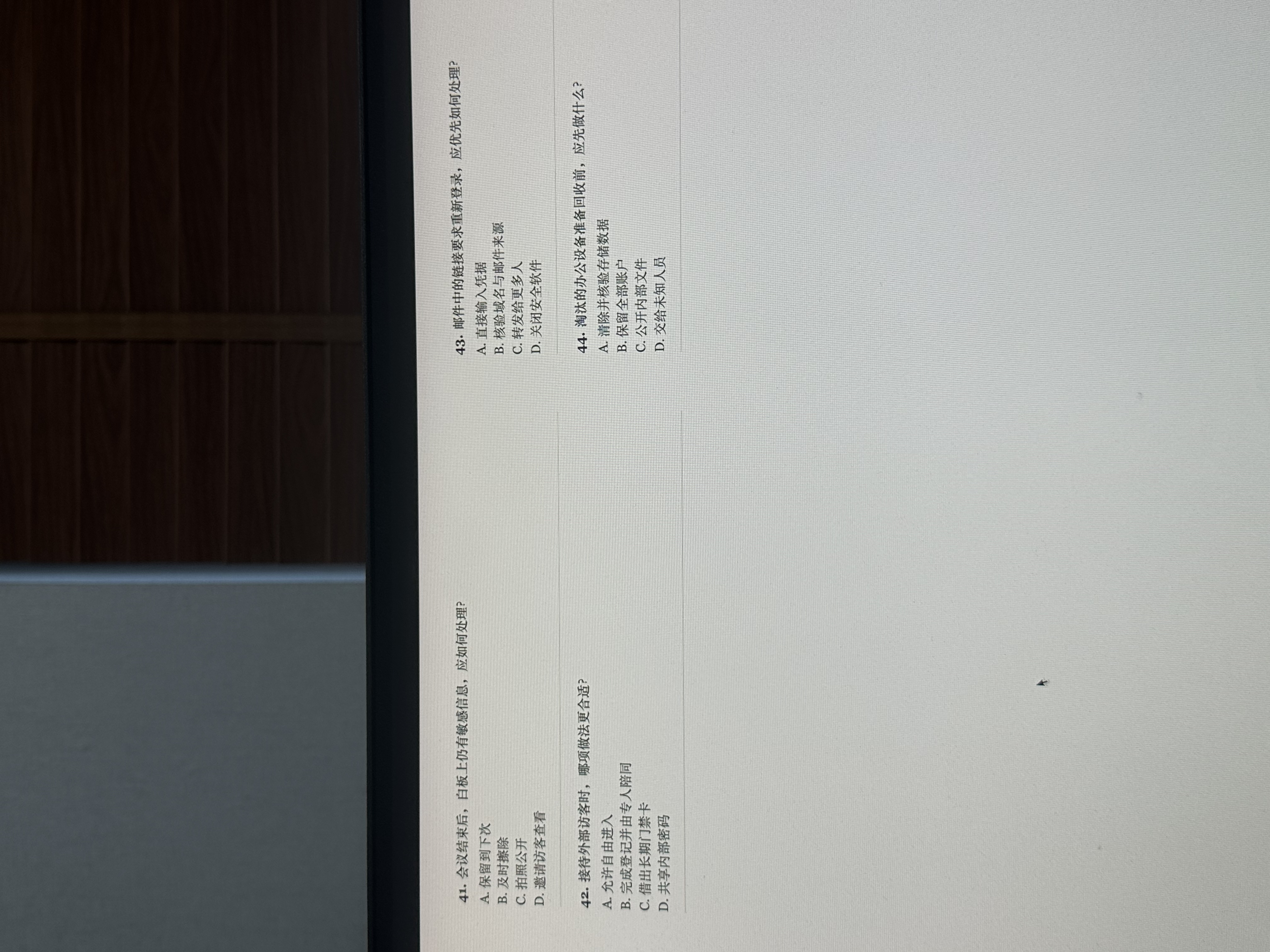 View original ↗
Two columns · reading order
Office information-security practice: questions 41–42 on the left, 43–44 on the right, with the original camera angle and screen texture.
Check that columns stay separate and that the options and answer belong to the same question.
Download original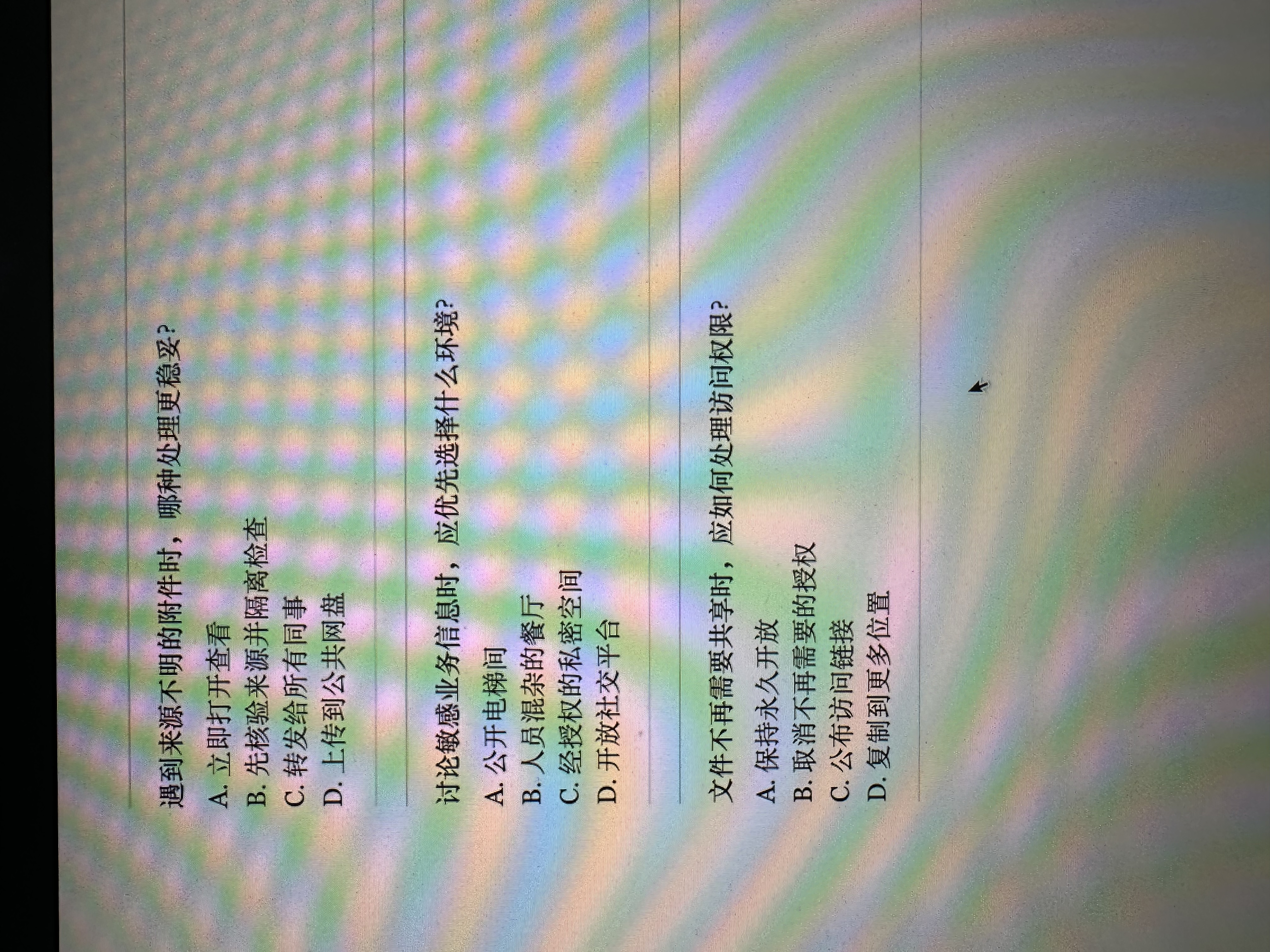 View original ↗
No printed numbers · question separation
Three unnumbered single-choice questions about attachments, discussion settings and sharing permissions, photographed with visible screen moiré.
Check whether three separate questions are found despite the missing numbers, without omission or merging.
Download originalThese practice photos are provided without an answer key. Check specialist answers against your study materials; add the relevant documents for questions about company-specific rules.
From a personal need to an App Store release
Biguomiao helps people preparing for workplace exams after a long day: photograph practice questions, check answers first, and open an explanation when needed. I designed and built the native iOS app and backend, then took it through App Store release in mainland China in September 2026. Version 1.0.1 followed in October.
The project began as Qihaoxue, with an administrator preparing company materials. Iteration shifted control to the person studying: no account registration or document upload is required to start. The home screen makes the two entry points clear—take a photo, or choose multiple photos from the library.
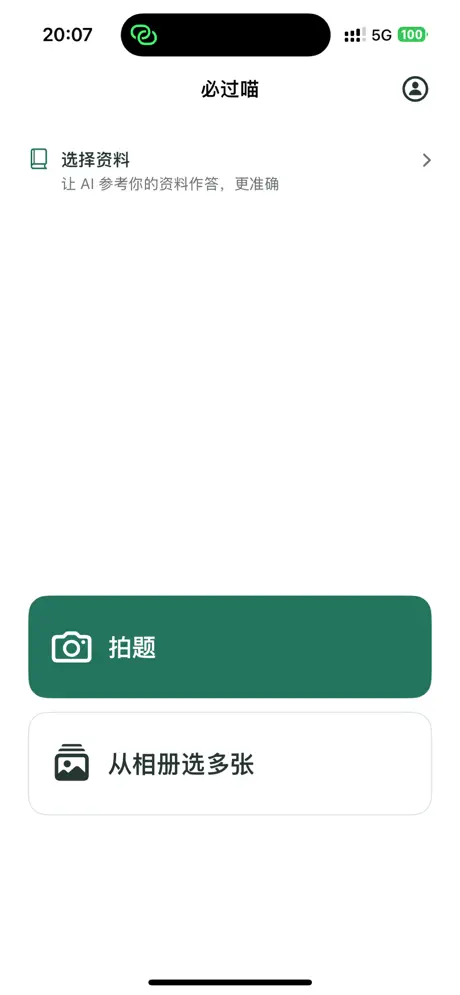
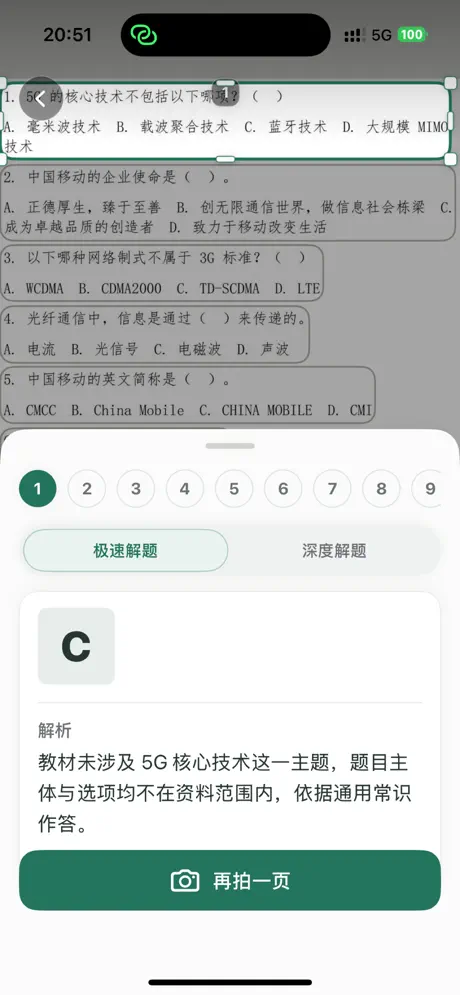
One page or a batch, with the original in reach
The full-page view keeps the photograph, question locations and answers together. Users move between questions, check the original image and request deeper analysis when needed. Batch import groups answers by photo, reducing repeated uploads.
Printed question numbers are handled separately from each question’s position on the page. An unclear number should not discard its question. Version 1.0.1 adds protection for a missed first-question number that could otherwise lead to an omitted question. Preserving the question set and making it possible to check against the original are core engineering concerns.
Add materials when they help
General question answering works immediately. For company procedures, training documents or internal question banks, users can upload files or join a shared collection with a code. Only one collection is active at a time. Finalized materials remain fixed, so members work from the same content.
A “Based on materials” badge requires more than the model’s claim: the backend must locate and verify the cited source. General answers and unverified sources remain neutral. When the question and all options exactly match an explicit answer in the materials, and source verification passes, that answer takes priority.
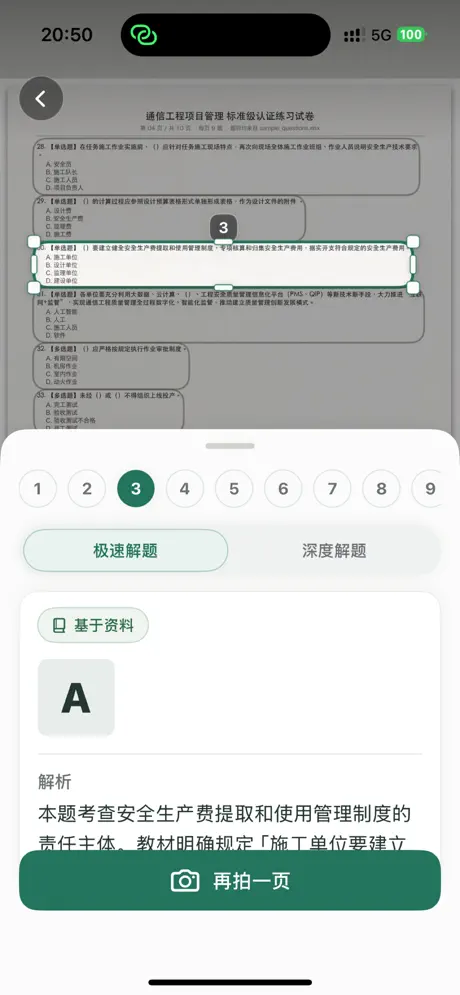
Keep trial, purchase and continuation in one flow
The current release includes 100 free questions per person and shows the remaining allowance on the home screen. Users can purchase a short exam-preparation pass in the app. If a batch reaches the allowance limit, purchasing resumes its unfinished questions without requiring another selection and upload.
StoreKit 2 handles purchase and restore on iOS. The backend reserves usage before a task, consumes it on success and releases it on technical failure. Production validation has covered a real purchase, entitlement delivery, per-question consumption, refund notification, entitlement revocation and the refreshed phone UI. Historical usage stays in the ledger for reconciliation and diagnosis.
Independent development and ongoing iteration
Biguomiao is my own app, which I independently designed, built and continue to maintain. The native client uses SwiftUI, AVFoundation and Vision; a FastAPI backend coordinates Doubao vision, DeepSeek, document processing and source verification. I handle everything from material sharing and payment reconciliation to App Store publication and version updates.
Release claims reflect the public App Store version 1.0.1 checked on October 7, 2026. Product-interface images are the store’s public screenshots; practice photos are separately provided sample inputs. Later development work is not presented as already shipped.